Fortschrittchen Deutsch App Store

A little more than last time.

Fortschrittchen is your training log for the gym: it remembers what you did on every machine and suggests the smallest possible increase next time. Nothing more — and that is exactly why it works.

Download on the App Store

2.99 € once · No subscription, no in-app purchases · iPhone & Apple Watch

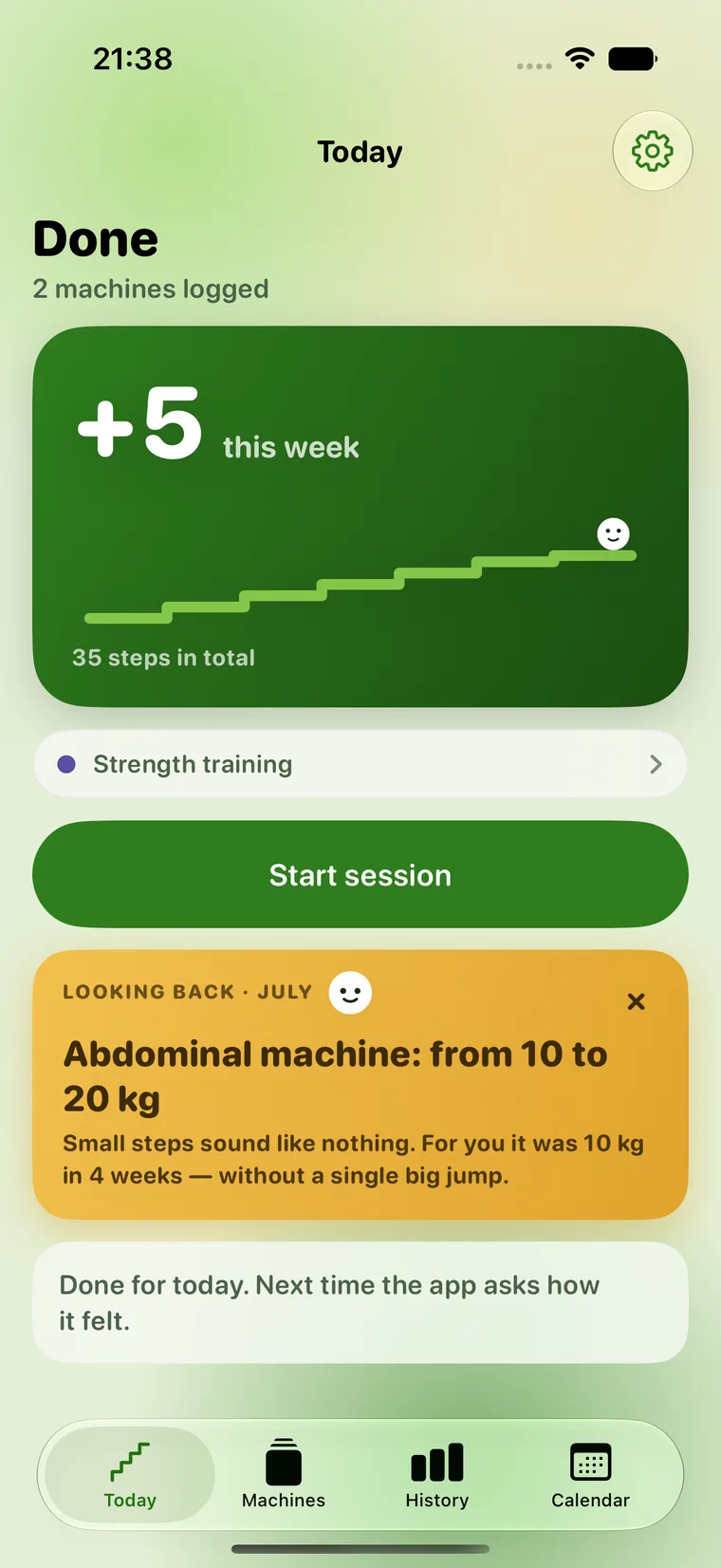
The Today screen: a green card with the staircase and “+5 this week”, below it the “Start session” button and a monthly look back.

What is not in here

Calories Workout plans Leaderboards Streaks Body fat Community

Only your numbers.

Fortschrittchen is not a coach and does not pretend to be one. It answers the single question beginners actually get stuck on: what did I do on this machine last time? And if you have been away for three weeks, there is no broken streak and no guilt — just an honest suggestion to start back a little lighter.

How a set goes

Three moments between two sets

Logging takes less than ten seconds — one-handed, while you are still sitting on the machine. The phone does not ask much, it remembers.

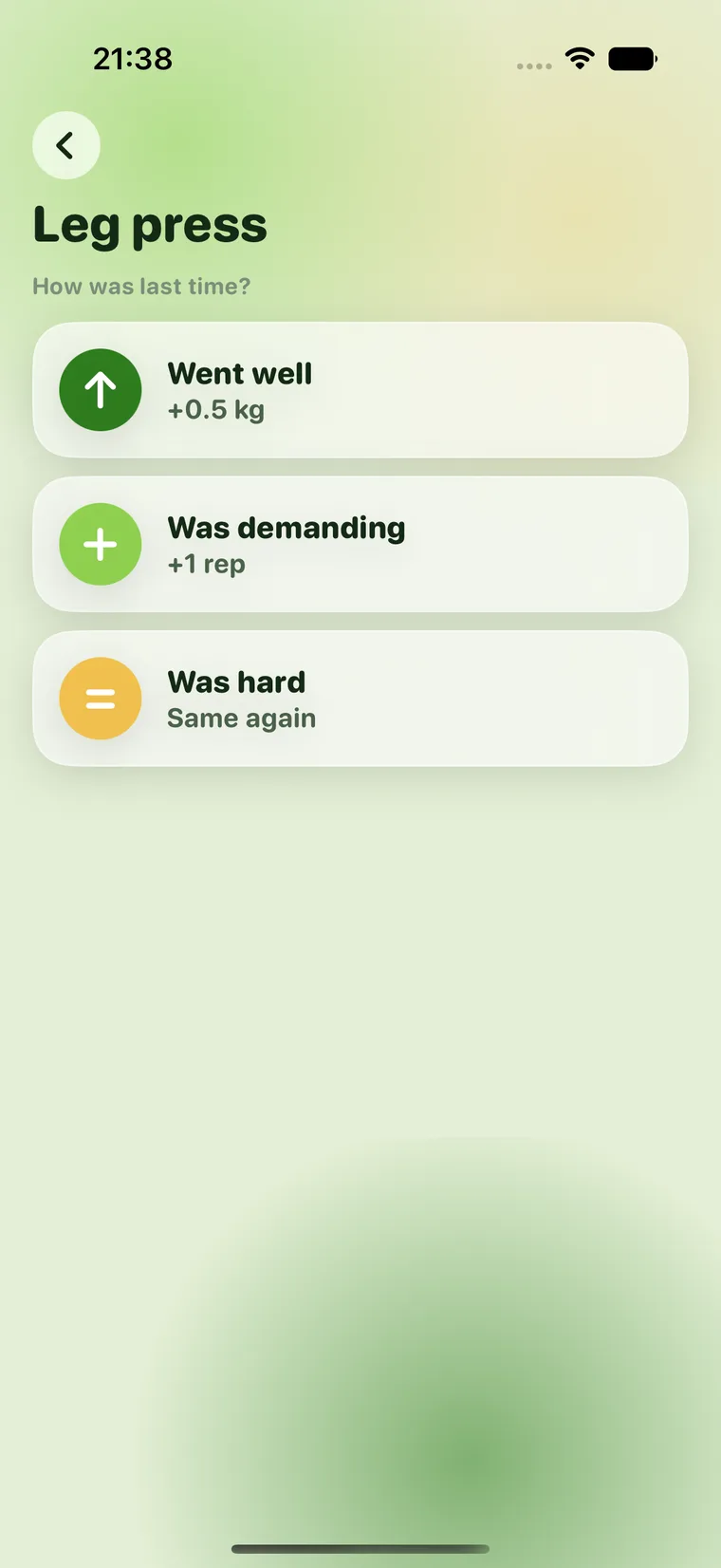
The one question: “How was last time?” with the three answers “Went well”, “Was demanding” and “Was hard”.

Moment 1

You say how it went

No formulas, no algorithm talk. You were there — you decide whether it goes up a small step.

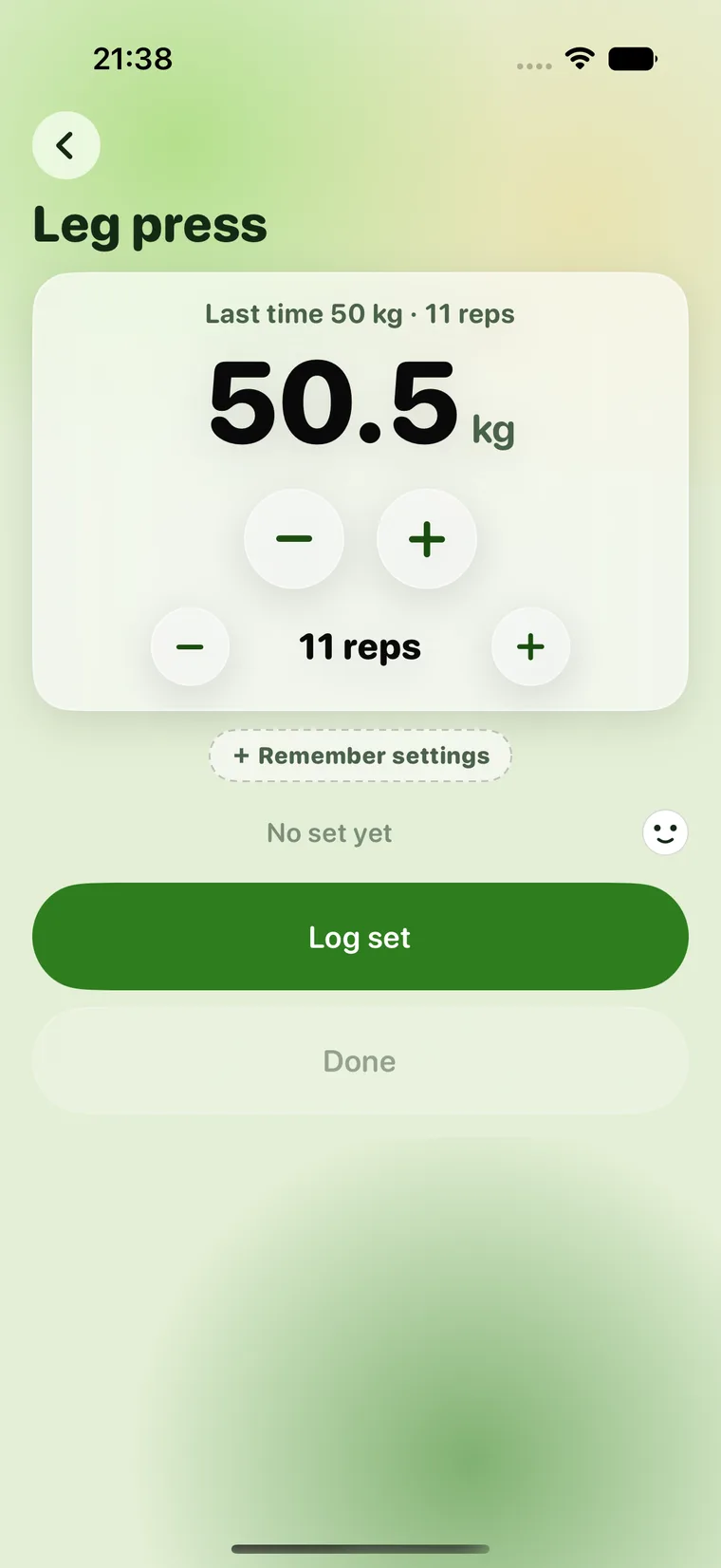
The entry screen: a large weight figure with two round steppers, above it the value from last time.

Moment 2

Log it, done

Your old value is already there. Two taps, the break timer runs — with its own length per machine if you want. Lock the phone and it keeps running on the lock screen, where the next set can be logged without opening the app.

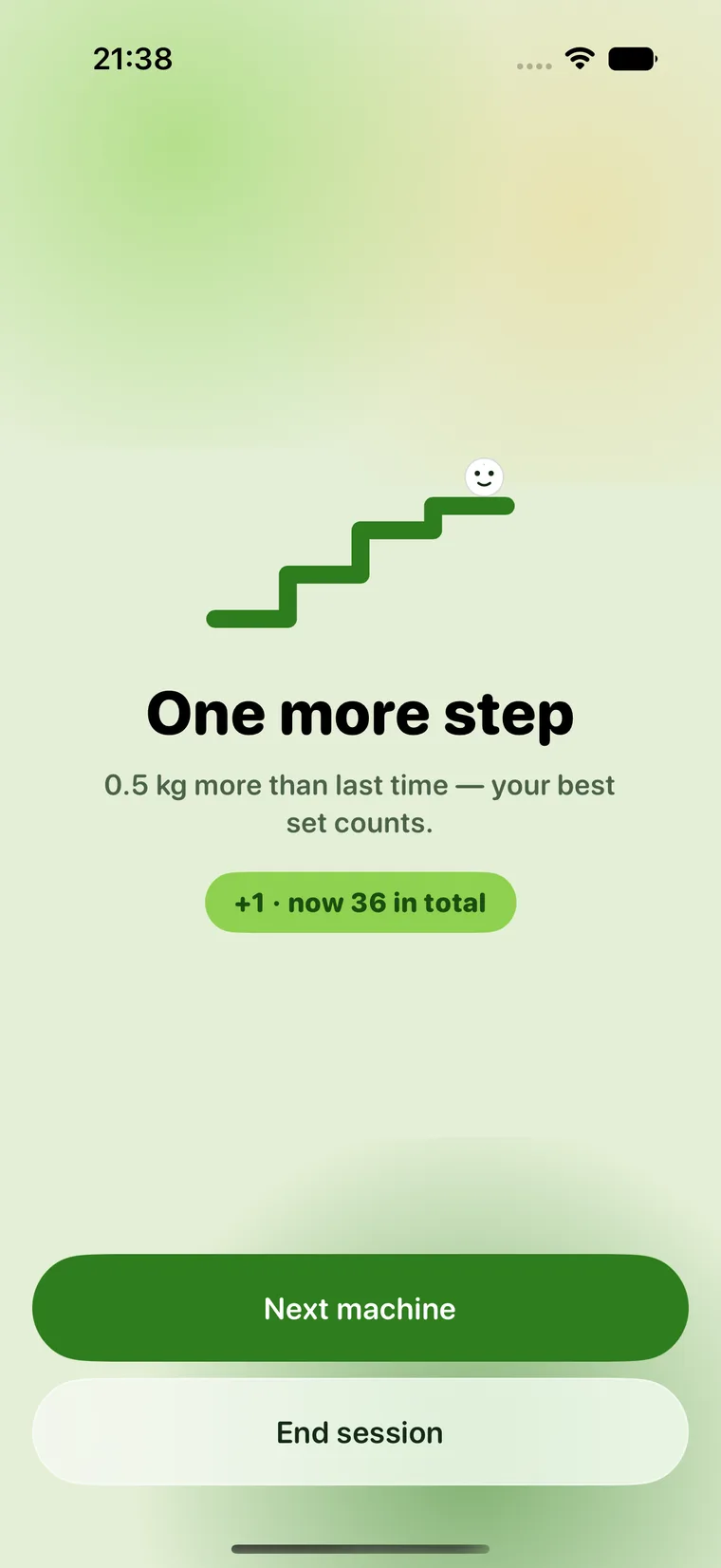
The celebration screen: “One more step” with a pill showing the new total.

Moment 3

The staircase grows

Every small increase is a step. The staircase only gets higher — it is never reset. Not even after a holiday.

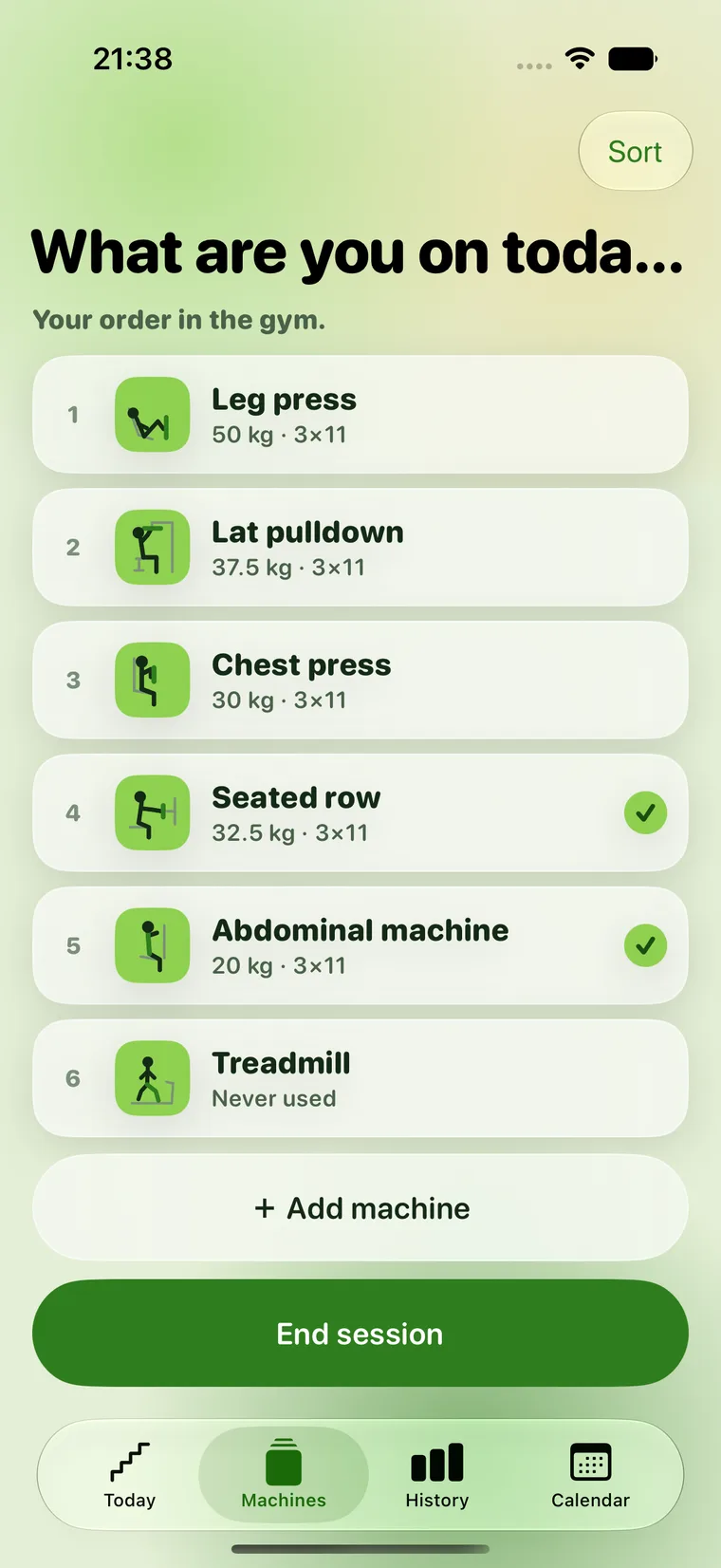
The machine list “What are you on today?” with numbered machines in the order of the gym.
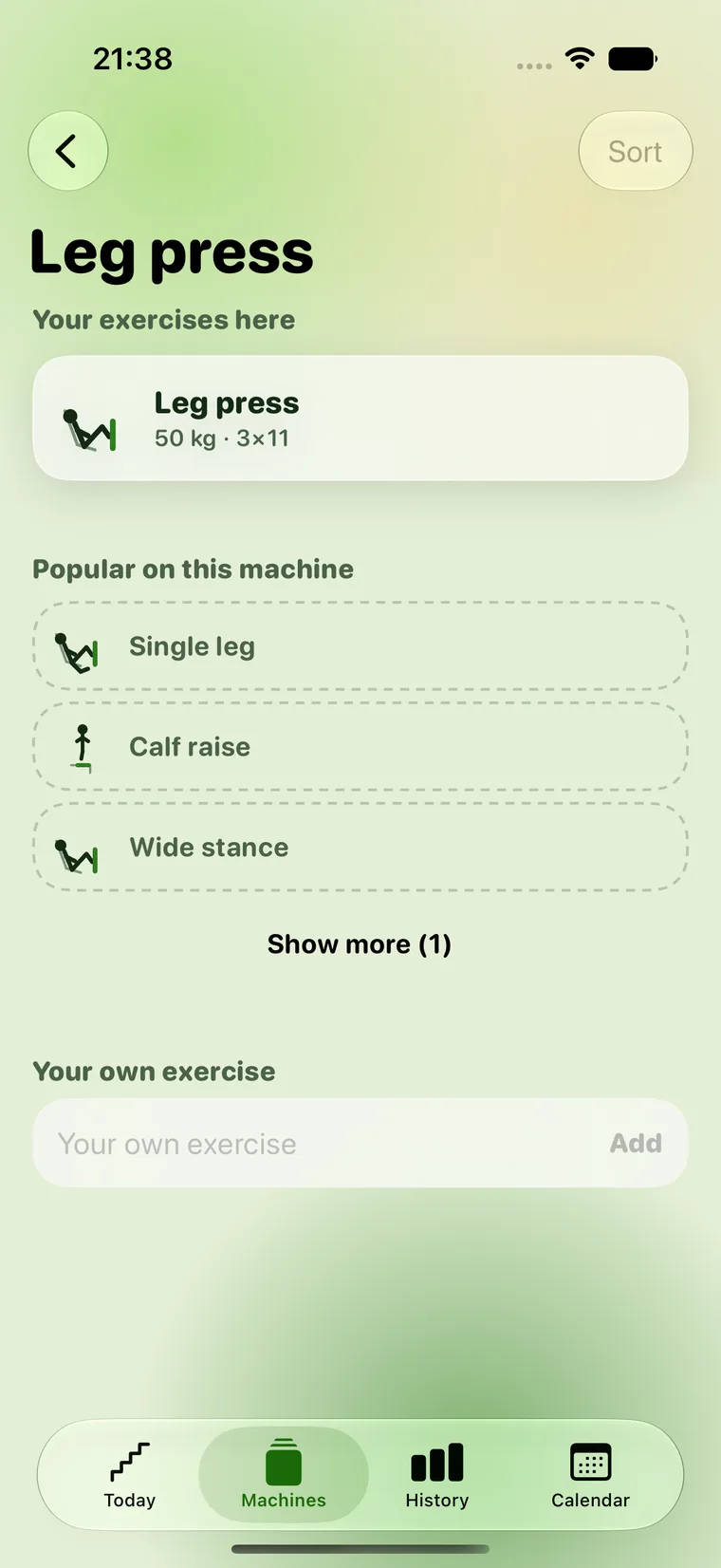
The exercise screen of a machine, with your own exercises and suggestions below them.

Your gym

In the order you actually walk it.

No plan from a stranger. You put your gym together from a catalog of the usual machines — or photograph the machine if the name means nothing to you — and drag everything into the order it stands in. After that the list is a checklist: whatever is done today carries a tick.

Several exercises per machineYou do three different things on the cable machine? Each exercise keeps its own log.
Seat 4 · Backrest 2The app also remembers the machine settings — those are forgotten faster than the weight. What is adjustable it knows per machine: the incline on the treadmill, the assistance on the pull-up machine, nothing on a dumbbell.
Strength and cardioTreadmill and elliptical run on levels, minutes and intervals instead of kilograms.
History

Nine weeks later you can see it.

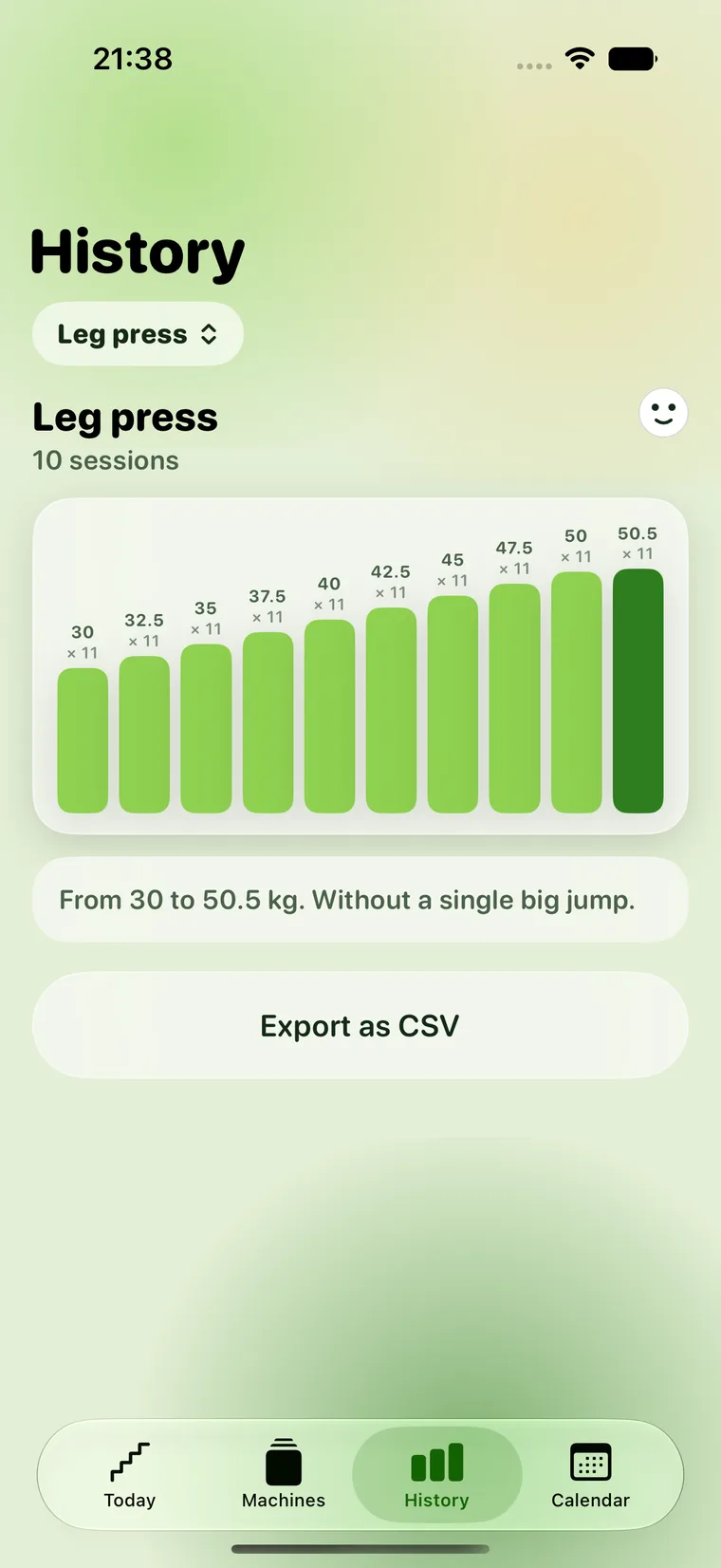
One bar per session, your best set — with weight and reps, so that “50 kg” does not tell half the story. Breaks stand there as a hatched placeholder — not red, not as a gap, not as a reproach. And because the numbers belong to you and not to us, one tap pulls everything out as CSV: every session, every set, every date, straight into Numbers or Excel.

The history: bars of the best set per session across several weeks, each labeled with weight and reps, below it the CSV export.
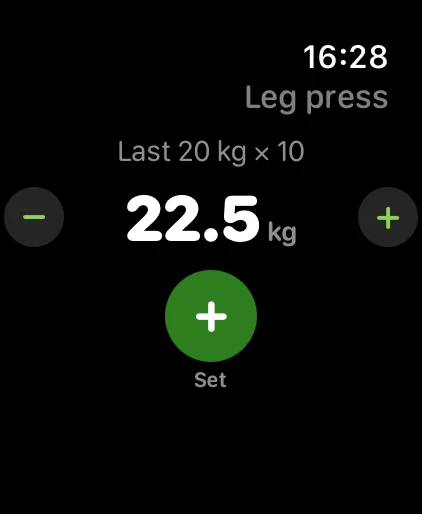
Apple Watch showing the entry screen: “Last 20 kg × 10”, below it 22.5 kg in large type, with a minus and a plus button on either side.
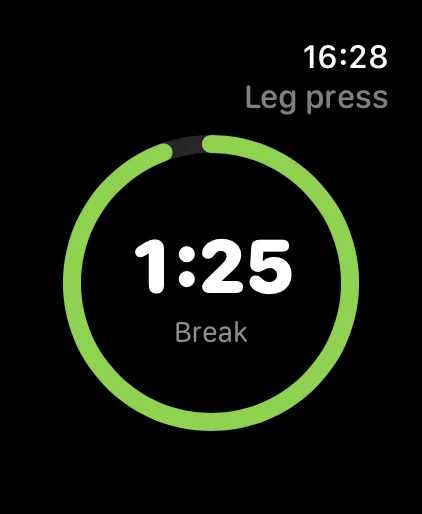
Apple Watch showing the break timer: a green ring emptying out, the remaining 1:25 large in the middle.

Apple Watch included

The phone stays in the locker.

In the gym the watch is on your body — so you log sets right at your wrist: turn the crown, tap, done. Then the break timer takes over the whole screen and taps your wrist when it is time to go on. An exercise you started on the iPhone can be finished here — and one session ends up in your history, not two. Everything works offline in a basement gym too, and syncs up later on its own.

Training calendar

A month at a glance.

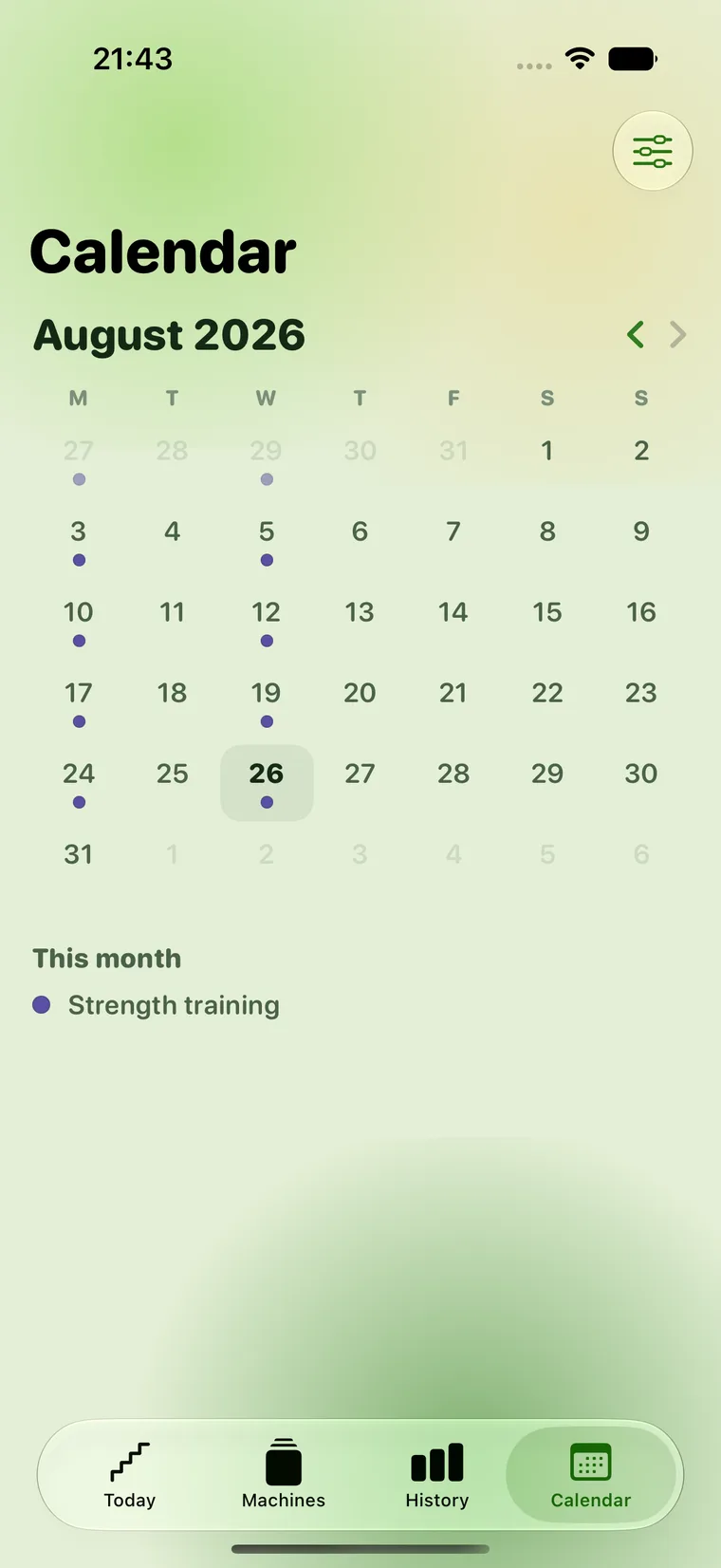
Under each day sit small coloured dots for what actually happened: strength, cardio, strength endurance, mobility, rest — and as many kinds of your own as you like, named by you. Strength and cardio fill themselves in; by hand you only mark what happened outside the app.

An empty day looks like nothing. No outline, no pale dot, no shading. The calendar shows what was — never what is missing. There is no counter, no quota and no “best week”. On your home screen a widget sums up what counts today: the staircase, the next machine, today’s dots.

The training calendar: a month grid starting on Monday, with small coloured dots under individual days for strength and cardio. Empty days carry only their number.

Your data

No account. No small print.

Stays on your iPhone

No login, no server of ours. Your training data lives locally — backed up to your own iCloud if you want, so that a lost phone does not mean lost months.

Really belongs to you

One tap exports everything as CSV — every session, every set, every date. Opens in Numbers and Excel. Take it with you instead of being locked in.

Almost never gets in touch

Exactly one reminder, after ten quiet days — with your number, not with guilt. After that it is quiet again. Promised.

Read on

Four pieces about keeping a record.

They work with paper and a pen, entirely without this app — and they explain along the way why it is built the way it is.

One price, once

2.99 €

Buy once. Done. No subscription, no in-app purchases, no ads.

Download on the App Store

For iPhone & Apple Watch · in German and English · iOS 26 or later